Energy System Designer
Understand recharge pressure, paid energy value, VIP advantage, cap waste risk, and how much activity your energy system really supports.
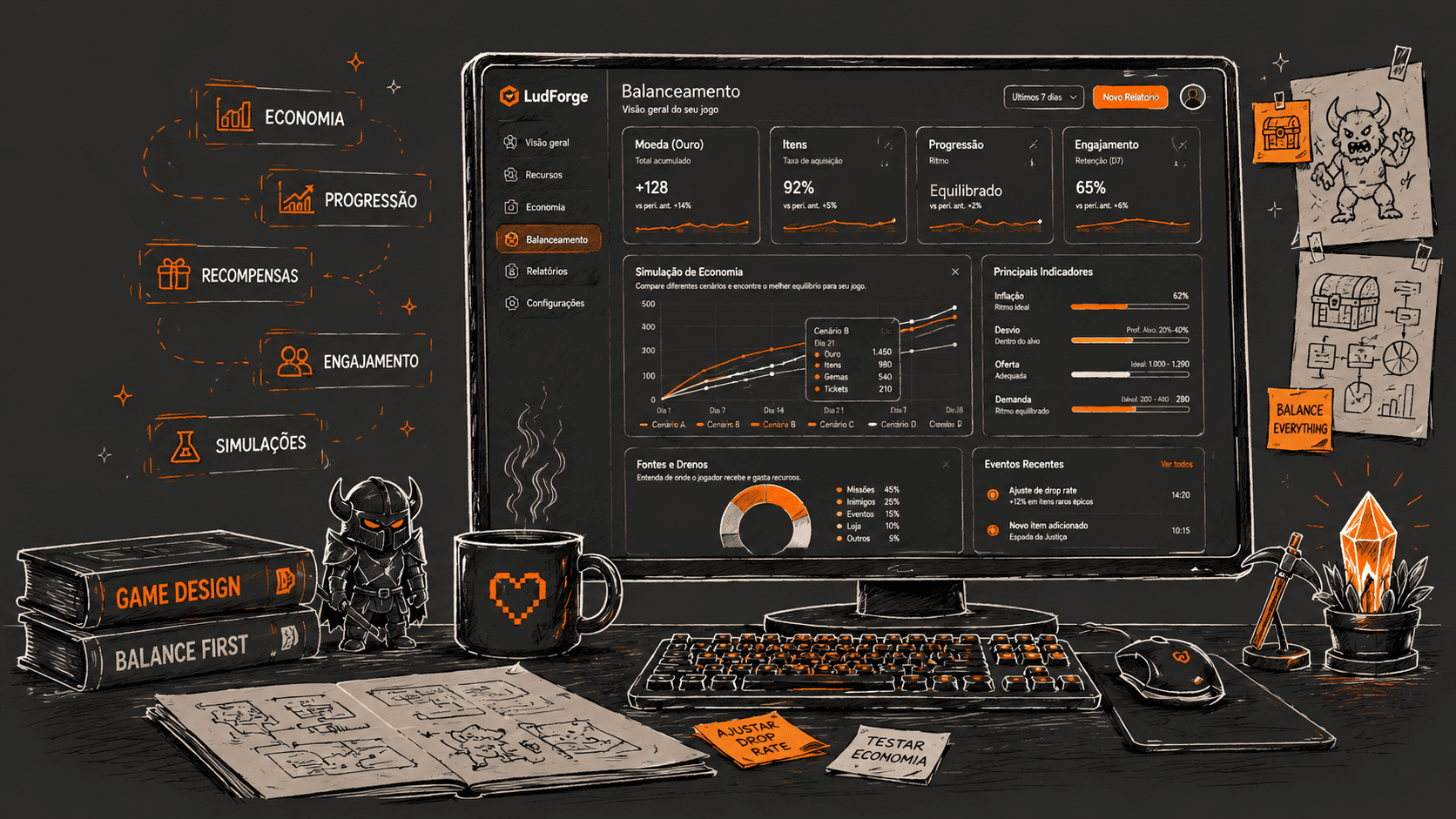
Model game economy systems in one project workspace: energy system design, loot table design, crafting simulation, incremental economy simulation, and built-in indicators for grind, pacing, bottlenecks, and reward health.
Project-based
Keep resources, energy models, incremental economies, loot tables, and crafting recipes organized by game.
4 active tools
Energy System Designer, Incremental Economy Simulator, Loot Table Designer, and Crafting Designer are available today for live economy questions and early balance passes.
Fast setup
Model a system from designer-friendly inputs instead of building spreadsheets from scratch.
LudForge gives game designers practical tools that turn saved design inputs into readable indicators: how energy recharge changes activity pacing, how prestige resets accelerate an idle economy, how long a drop takes to obtain, and which ingredient source is really controlling a recipe.
Spot long unlucky-player windows, excessive wait pressure, and reward concentration before those values feel accidental.
See which loot table, ingredient source, resource, generator, or energy setup is carrying too much of the player effort.
Use health scores, P50/P90 windows, reset cadence, ROI, VIP comparisons, source breakdowns, and warnings to decide what deserves tuning.
Link energy, incremental economies, loot tables, crafting recipes, and shared resources so one tuning change can be understood across the whole loop.
Reward model overview
Loot, energy, crafting, and idle economy pass
P90 window
D7 18%
Unlucky players need many more runs
Reset cadence
+12%
Later prestige runs accelerate quickly
Loot health
82
Reward curve mostly stable
Expected drops by run count
0-60 runsDesign indicators
Rare gear has a long-tail frustration risk at P90.
Crystal Shard is the main crafting bottleneck.
Prestige timing is meaningful after the first reset.
Connect shared resources, energy rules, incremental economies, loot tables, and crafting recipes in the same project so each indicator shows how one system affects the next.
Understand recharge pressure, paid energy value, VIP advantage, cap waste risk, and how much activity your energy system really supports.
See expected runs, P50/P90 luck gaps, drop frequency, reward concentration, and health signals for each reward source.
Estimate total acquisition time, reveal dominant bottlenecks, compare farming sources, and expose recipe dependencies before they frustrate players.
Keep materials, currencies, gear, and ingredients consistent across loot tables, recipes, and economy models so connected models stay clean.
Simulate idle resources, generators, upgrades, prestige resets, milestone timing, ROI, low-impact content, and pacing across relevant horizons.
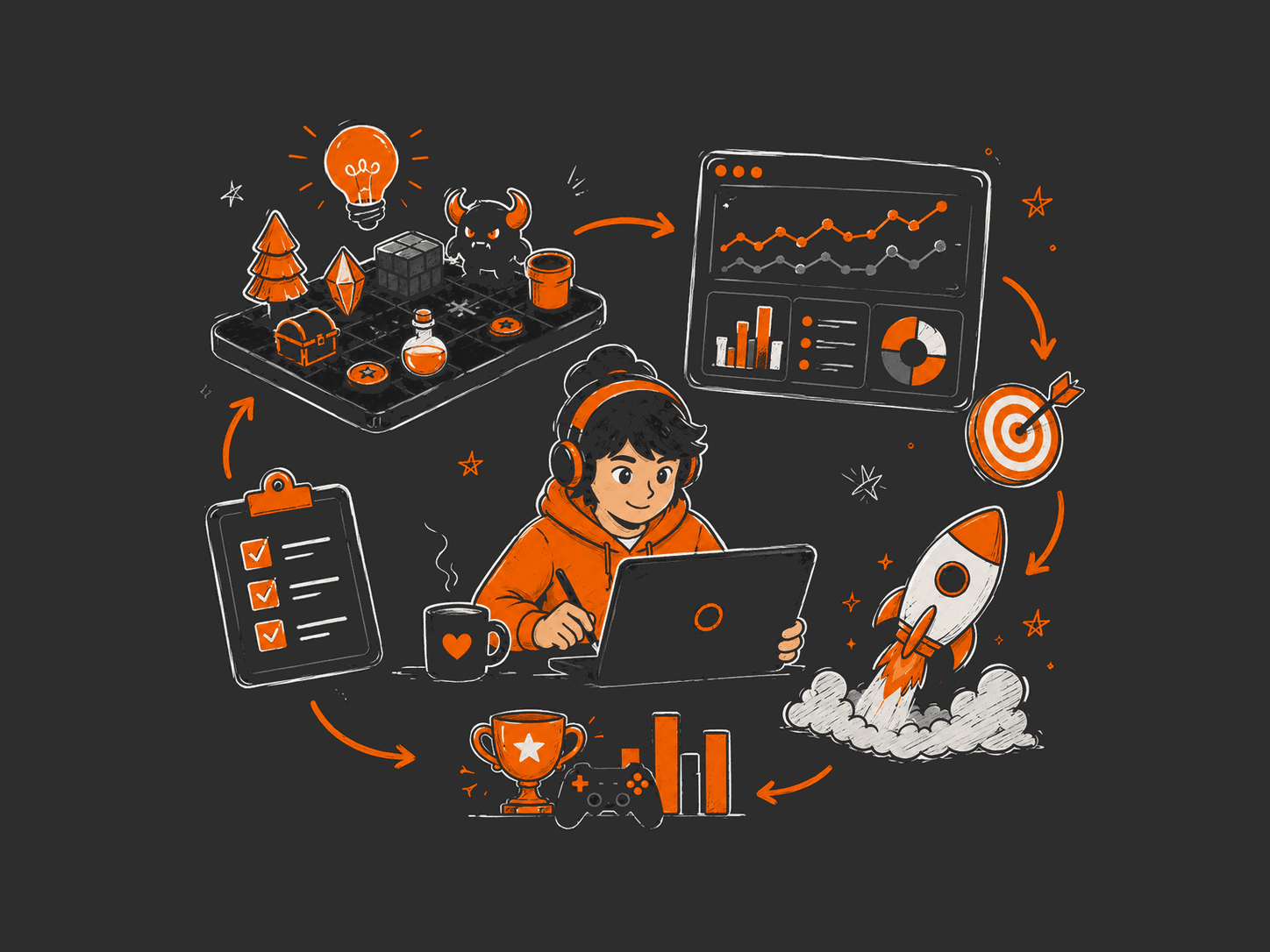
Step 1
Define resources, energy settings, incremental generators, prestige rules, loot sources, item drops, and crafting ingredients in a project workspace.
Step 2
Process odds, run durations, energy costs, recharge behavior, generator curves, prestige timing, recipe sources, and nested crafting dependencies.
Step 3
Use built-in indicators and plain-language insights to see what is healthy, risky, trivial, expensive, or bottlenecked.
Simple plans to start small, validate the workflow, and scale when game economy balancing becomes part of production.
For trying the toolkit on one project and a small set of real design questions.
$0
Free
For designers who want unlimited project modeling across the available toolset.
$7
Per month
The goal is not to replace your judgment. It is to make the consequences of each design choice easier to see, explain, and improve.
No. The tools work from the design inputs you enter: resources, energy rules, generator curves, prestige rules, loot odds, run duration, stacks, and recipe sources.
Energy System Designer, Incremental Economy Simulator, Loot Table Designer, Crafting Designer, and the supporting Resources registry are available today.
You turn system inputs into clear indicators about pacing, effort, reward health, bottlenecks, and dependencies, making balance decisions easier to explain.
Start today by modeling energy pacing, idle economy progression, reward odds, recipe cost, and the indicators behind each design decision.